Solve The Cube Controls and Keys
Last updated:
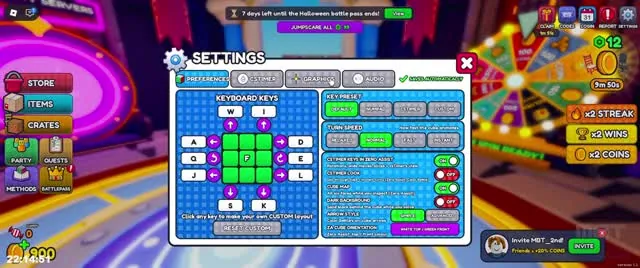
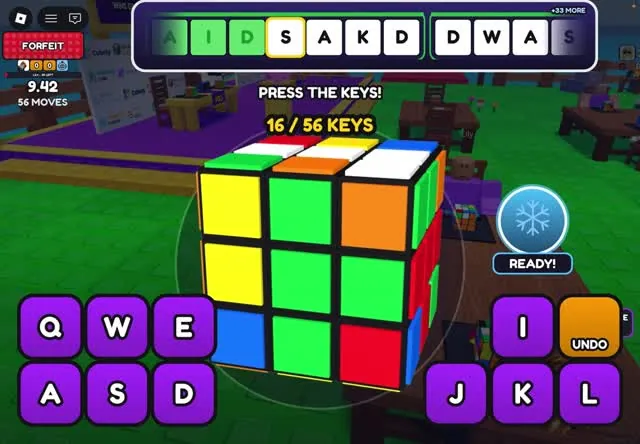
Solve The Cube is played with letter keys. Gameplay shows Q, W, E, A, S, D and I, J, K, L, and every key turns the cube a different way.
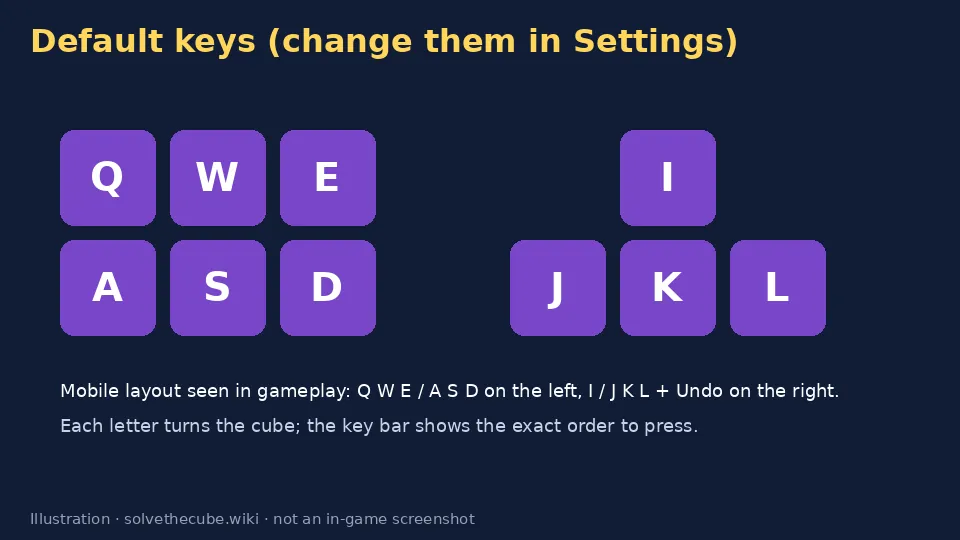
Default key layout
| Group | Keys | Notes |
|---|---|---|
| Left hand | Q · W · E · A · S · D | Shown as purple buttons on mobile |
| Right hand | I · J · K · L | With an orange Undo button on mobile |
| Movement | WASD / joystick in the lobby | Standard Roblox movement when you aren't seated |
Which letter makes which cube turn is shown in Settings → Keyboard Keys. The exact default mapping (for example which key is R or U) is to be verified, because it can differ by preset.
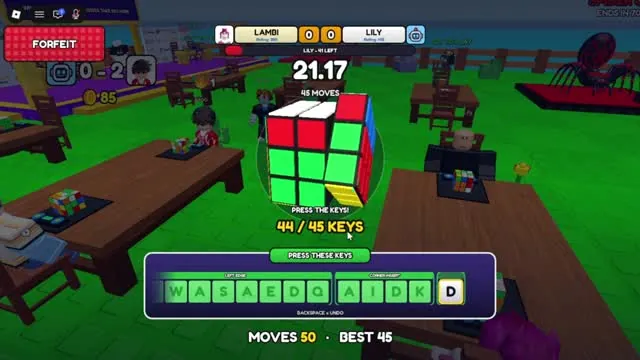
The key bar
The bar at the bottom of the screen shows the letters you need to press. The next letter is highlighted, finished letters turn green, and a counter tracks your progress (for example 44 / 45 keys). The timer above the cube shows your solve time. The move counter and your BEST (fewest moves) appear under the cube.
Settings: presets, custom keys and turn speed
The Settings window has Preferences, Custom, Graphics and Audio tabs. Under Keyboard Keys you'll find several key presets, a custom layout where you click any key to rebind it, and a turn speed option. Experienced players such as aero_sfx keep the default keys. Pick one layout and stick with it.
Mobile and tablet
On mobile, the keys appear as two blocks of buttons: Q W E / A S D on the left and I / J K L on the right, plus Undo. Powerups such as Freeze appear as a round button above them. Use both thumbs, the same way you'd type on a phone keyboard.
Typing tips
- Rest your fingers on A-S-D and J-K-L so every key is one move away.
- Turn off other keyboard shortcuts and overlays. Roblox can lose focus if a pop-up opens.
- Read ahead. Your eyes should be 3–4 letters ahead of your fingers.
Sources: gameplay videos by aero_sfx (Oct 14), Jamal (Oct 19), Lambi (Oct 22) and MBT (Oct 24, 2026), plus the official Roblox game description. Menus and prices can change in updates. Anything unconfirmed is labelled to be verified.
Video guide
Frequently asked questions
Can you change keybinds in Solve The Cube?
Yes. Settings has a Keyboard Keys tab with presets and a custom layout where you click a key to change it.
Is there an undo key?
Yes. Mobile shows an Undo button next to I, J, K and L. The PC key for Undo is to be verified.