Solve The Cube Beginner's Guide
Last updated:
New to Solve The Cube? This guide takes you from your first spawn to your first win and your first upgrade, using what we saw in real gameplay.
1. Talk to the Rookie and do the tutorial
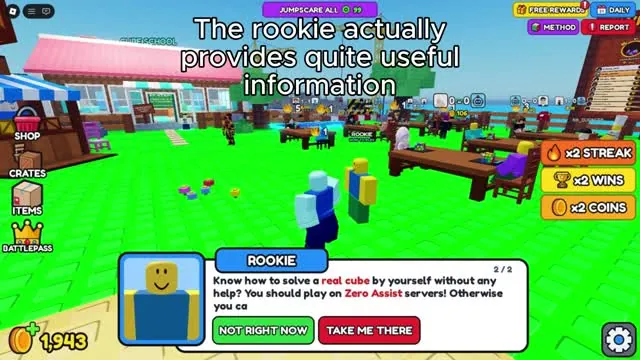
A Rookie NPC stands in the lobby and asks whether you can solve a real cube yourself. It offers to take you to the tutorial, which uses arrows to point you to your first table. Do it once. It shows how the key bar works without any pressure.
2. Claim your free coins
Before your first race, redeem the codes HALLOW, WELCOME and SUPINATOR for 2,510 Coins. Then claim the +1,000 coin like-and-join reward. Check the Daily and Free Rewards buttons at the top too.
3. Sit down and wait for an opponent
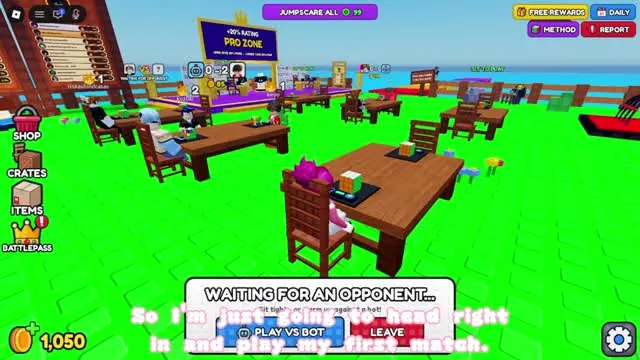
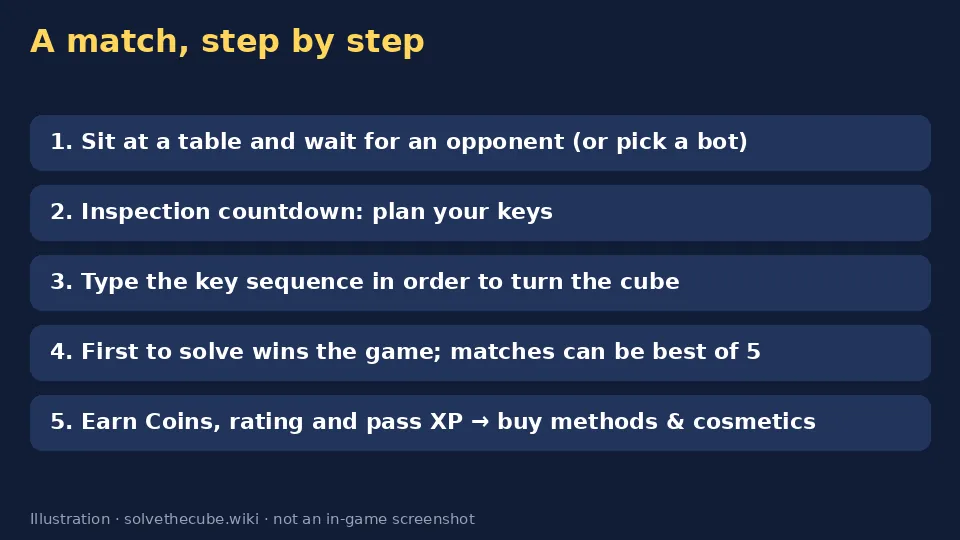
Walk to any empty seat at a table. A "Waiting for an opponent" prompt appears, with buttons to invite a friend, pick a bot or leave. When someone joins, the screen says Opponent found! and counts down "Stay seated!". Don't stand up during the countdown.
4. Inspection: plan your keys
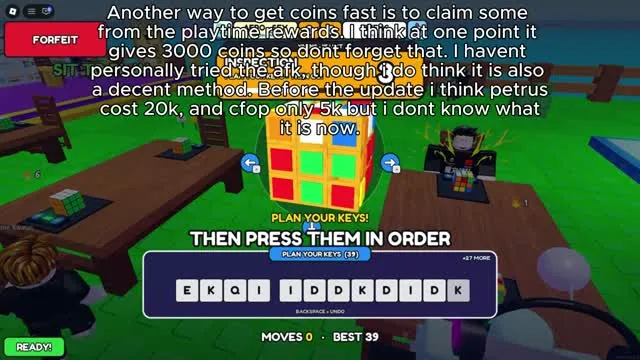
Each game starts with a few seconds of inspection and the message "Plan your keys, then press them in order." Read the first 6–10 letters of the key bar and say them in your head in small chunks, like "A-I-D-W, A-K-D-S".
5. Type the sequence
When the timer starts, type the letters in order. Each correct key turns the cube, and the counter (for example 28 / 45 keys) shows how far you are. A wrong key turns the cube the wrong way. Use Undo or fix it, but it costs time. The first cube solved wins the game. Default keys are listed on controls.
6. Win, collect, double
The victory screen shows the coins you earned, a Double It! option (14 Robux) and a "Your moves" grid marked correct, wrong turn, undo and still needed. Some matches are a best of 5 with a coin prize pool.
7. What to buy first
- Corners First (4,000 Coins). It's the first method that cuts keys per solve.
- Keep saving for Petrus or ZZ (20,000 Coins each). See methods.
- Cosmetics last. Chairs and cube skins look great but don't make you faster.
8. Warm up against bots
If the server is busy or you keep losing, beat each bot once for its first-win reward (250 Coins and 200 pass XP on the bot we saw).
Sources: gameplay videos by aero_sfx (Oct 14), Jamal (Oct 19), Lambi (Oct 22) and MBT (Oct 24, 2026), plus the official Roblox game description. Menus and prices can change in updates. Anything unconfirmed is labelled to be verified.
Video guide
Frequently asked questions
Do I need to know how to solve a Rubik's Cube?
No. Default mode shows you the key sequence, so it is a memory and typing test. Only Zero Assist needs real cube knowledge.
What happens if I press the wrong key?
The cube turns the wrong way and you lose time. You can use Undo, then carry on with the sequence.